

Datasheet4U Logo Datasheet4U.com

DS1402D-41 - iButton Probe Component Parts

General Description

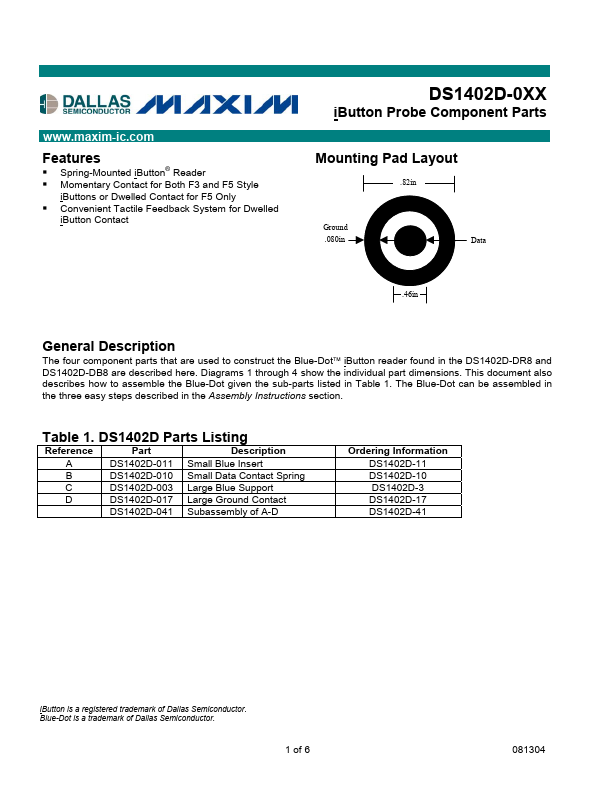
The four component parts that are used to construct the Blue-Dotä iButton reader found in the DS1402D-DR8 and DS1402D-DB8 are described here.

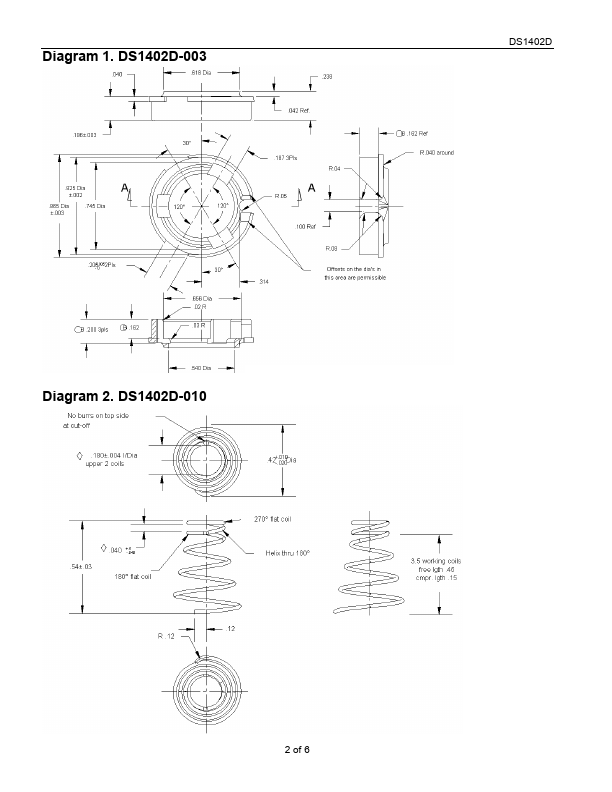
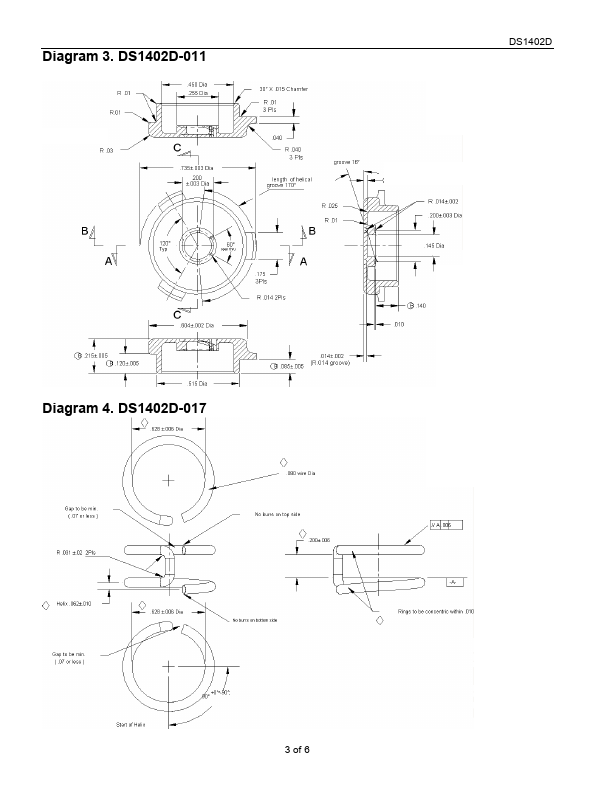
Diagrams 1 through 4 show the individual part dimensions.

This document also describes how to assemble the Blue-Dot given the sub-parts listed in Table 1.

Key Features

  • Spring-Mounted iButton Reader Momentary Contact for Both F3 and F5 Style iButtons or Dwelled Contact for F5 Only Convenient Tactile Feedback System for Dwelled iButton Contact ® Mounting Pad Layout .82in Ground .080in Data .46in General.

📥 Download Datasheet

Datasheet Details

Part number DS1402D-41
Manufacturer Dallas Semiconducotr
File Size 217.52 KB
Description iButton Probe Component Parts
Datasheet download datasheet DS1402D-41 Datasheet

Full PDF Text Transcription for DS1402D-41 (Reference)

Note: Below is a high-fidelity text extraction (approx. 800 characters) for DS1402D-41. For precise diagrams, and layout, please refer to the original PDF.

DS1402D-0XX iButton Probe Component Parts www.maxim-ic.com Features § § § Spring-Mounted iButton Reader Momentary Contact for Both F3 and F5 Style iButtons or Dwelled Con...

View more extracted text
der Momentary Contact for Both F3 and F5 Style iButtons or Dwelled Contact for F5 Only Convenient Tactile Feedback System for Dwelled iButton Contact ® Mounting Pad Layout .82in Ground .080in Data .46in General Description The four component parts that are used to construct the Blue-Dotä iButton reader found in the DS1402D-DR8 and DS1402D-DB8 are described here. Diagrams 1 through 4 show the individual part dimensions. This document also describes how to assemble the Blue-Dot given the sub-parts listed in Table 1. The Blue-Dot can be assembled in the three easy steps described in the Assembly Instructions section. Table 1.